
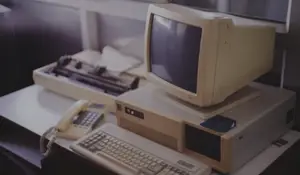
A computer does not have to completely fail to become a business problem.
In many offices, aging computers slowly create frustration long before anyone reports a serious issue. Employees wait a few extra seconds for programs to open. Systems freeze during meetings. Files take longer to load. Updates fail unexpectedly. Video calls lag. Browsers crash. Productivity quietly declines day after day.
Because these problems develop gradually, many businesses simply adapt to them instead of recognizing the true cost.
The reality is that outdated business computers can impact far more than employee convenience. Aging hardware may create cybersecurity risks, operational slowdowns, software compatibility problems, and costly downtime that affect the entire organization.
As businesses become increasingly dependent on cloud applications, remote work, VoIP communication systems, and collaboration platforms, computer performance and reliability matter more than ever.
So how old is too old for a business computer?
The answer depends on several factors, but most business hardware has a much shorter useful lifespan than many organizations realize.
The Average Lifespan of Business Computers
Most business-grade desktops and laptops are designed to last roughly:
- 3 to 5 years for laptops
- 4 to 6 years for desktops
That does not necessarily mean the device stops functioning after that point. Many older computers continue turning on and running basic programs for years.
The problem is that “still working” and “working efficiently and securely” are very different things.
As hardware ages:
- Performance declines
- Components wear out
- Security support eventually ends
- Compatibility issues increase
- Repair frequency rises
Business technology evolves quickly, and modern software often demands more processing power, memory, and security features than older systems were designed to handle.
Slow Computers Quietly Drain Productivity
One of the biggest hidden costs of outdated computers is lost productivity.
A slow computer may only waste a few minutes at a time, but those delays add up quickly across an organization.
Employees commonly experience:
- Slow startup times
- Delayed logins
- Freezing applications
- Browser lag
- File syncing delays
- Poor video conferencing quality
- Slow cloud application performance
Over time, these interruptions create frustration and inefficiency that many businesses underestimate.
Research from Intel found that older computers can significantly reduce employee productivity due to slower performance and increased downtime.
In fast-paced work environments, even small delays repeated throughout the day can impact:
- Employee output
- Customer response times
- Collaboration efficiency
- Overall workflow
Aging Hardware Creates Security Risks
Performance is not the only concern with older computers. Cybersecurity risks also increase as devices age.
Older systems may:
- Stop receiving security updates
- Lack modern hardware-based security protections
- Run unsupported operating systems
- Struggle with modern endpoint protection software
- Become vulnerable to newly discovered exploits
Cybercriminals often target outdated systems because they are easier to compromise.
Unsupported operating systems are especially risky. Once manufacturers stop providing security patches, newly discovered vulnerabilities may remain permanently exposed.
For businesses handling customer information, financial records, healthcare data, or sensitive communications, outdated hardware can create serious compliance and security concerns.
Compatibility Problems Become More Common
Another issue businesses face with aging computers is software compatibility.
Modern business applications increasingly rely on:
- Faster processors
- Additional RAM
- Solid-state drives (SSDs)
- Updated operating systems
- Modern security protocols
Older computers may struggle to support:
- Microsoft 365 applications
- Cloud-based software
- Video conferencing platforms
- VoIP communication tools
- Multi-monitor setups
- Advanced cybersecurity software
As software vendors continue optimizing for newer hardware, older systems often fall further behind.
This can create a frustrating cycle where businesses delay upgrades while employees struggle with systems that no longer support modern workflows effectively.
Remote Work Increased Hardware Demands
The rise of remote and hybrid work has placed even greater demands on business computers.
Employees now rely heavily on:
- Video conferencing
- VPN connections
- Cloud collaboration tools
- File synchronization
- VoIP softphones
- Multi-tasking across several applications
Older hardware often struggles under these workloads.
For example, employees using outdated laptops during video meetings may experience:
- Audio lag
- Frozen screens
- Dropped calls
- Poor call quality
- Delayed file access
These problems do not just impact internal productivity. They can also affect customer interactions and professional image.
Repair Costs Eventually Stop Making Sense
Many businesses try to extend hardware life by repeatedly repairing older computers.
While occasional repairs are normal, there comes a point where replacement becomes more practical than ongoing maintenance.
Common aging hardware failures include:
- Hard drive crashes
- Battery degradation
- Overheating
- Fan failures
- Power supply issues
- Broken ports
- Memory failures
As devices age, replacement parts may become harder to find and more expensive.
Additionally, repeated downtime caused by unreliable hardware often costs businesses far more than the device itself.
Why Businesses Delay Replacing Computers
Despite these risks, many organizations continue using outdated computers longer than recommended.
Common reasons include:
- Budget concerns
- Fear of disruption
- “It still works” mentality
- Delayed technology planning
- Lack of inventory visibility
Unfortunately, waiting until systems completely fail often creates more expensive emergencies and operational disruption.
Unexpected hardware failures can lead to:
- Data loss
- Downtime
- Missed deadlines
- Reduced employee productivity
- Emergency replacement costs
Proactive replacement planning helps businesses avoid reactive technology decisions.
Signs It May Be Time to Replace Business Computers
Businesses should pay attention to warning signs such as:
- Frequent crashes or freezing
- Slow startup times
- Inability to install updates
- Poor performance during video calls
- Employees complaining about speed
- Compatibility issues with modern software
- Increased repair frequency
- Systems older than five years
Even if devices still function, these symptoms may indicate the hardware is no longer supporting the business effectively.
Why Technology Planning Matters
One of the most effective ways businesses manage hardware lifecycles is through long-term technology planning.
Instead of waiting for failures, many organizations now schedule gradual hardware refresh cycles that help:
- Reduce downtime
- Improve budgeting
- Maintain security standards
- Support employee productivity
- Ensure software compatibility
Managed IT providers often help businesses track hardware age, warranty status, system health, and replacement timelines to reduce unexpected disruptions.
This approach allows businesses to make technology decisions strategically instead of reacting during emergencies.
Old Computers Cost More Than Most Businesses Realize
Many businesses focus only on the upfront cost of replacing hardware. However, the hidden costs of keeping outdated systems are often much higher.
Slow performance, downtime, cybersecurity exposure, employee frustration, and operational inefficiencies all carry financial consequences that may not appear directly on an invoice.
Business computers are no longer simple office tools. They are the foundation for communication, collaboration, security, customer service, and daily operations.
As technology demands continue increasing, businesses that proactively manage hardware lifecycles will likely experience fewer disruptions, stronger security, and more efficient operations than those waiting for aging systems to fail completely.